


























 Defense
 Vigilance
 Seer
Seer





 How to Craft
 Choose a Crew Skill
 Armormech
 Armstech
 Artifice
 Biochem
 Cybertech
 Synthweaving
 How to Craft Fast
 Gathering Guide
 Rare Materials Guide
 White Materials Guide
 Jawa Junk
 Augments
 Medpacs, Stims and Adrenals
 Synthweaving Crafting Tree




 Crafted Decorations
 Crafted Mounts
 Crafted Dyes
 Crafted Crystals
 Events Calendar
 Galactic Seasons
 PvP Seasons
 Bounty Event
 Double XP Event
 Feast of Prosperity
 Gree Event
 Life Day
 Nightlife Event
 Pirate Incursion Event
 Rakghoul Event
 Spring Abundance Festival
 Swoop Event
 Accessibility HubAll Accessibility guides and info
 DeafPlaying while deaf or hearing-impaired
 BlindPlaying while visually impaired or with low vision
 ColorblindPlaying with colorblindness and settings options
 AnxietyPlaying with general anxiety or social anxiety


 Jedi Knight
 Jedi Consular
 Trooper
 Smuggler
 Sith Warrior
 Sith Inquisitor
 Bounty Hunter
 Imperial Agent
 Bounty Hunter
 Imperial Agent
 Jedi
Jedi Jedi Consular
 Jedi Knight
 Sith
Sith Sith Inquisitor
 Sith Warrior
 Smuggler
 Trooper
 Legacy Gear
 Lightsabers
 Double-Bladed Lightsabers
 Vibroswords
 Double-Bladed Vibroswords
 Blaster Pistols
 Blaster Rifles
 Sniper Rifles
 Blaster Cannons

Twitch Drops are a way of gaining rewards by watching players play Star Wars: The Old Republic on the Twitch live-streaming service, where gamers often share their screen while playing games and chatting with the audience. Players have long asked for Twitch drops to be added to the game, and the developers have now put in the back-end work to make this possible for players to gain rewards from.
MOST RECENT:
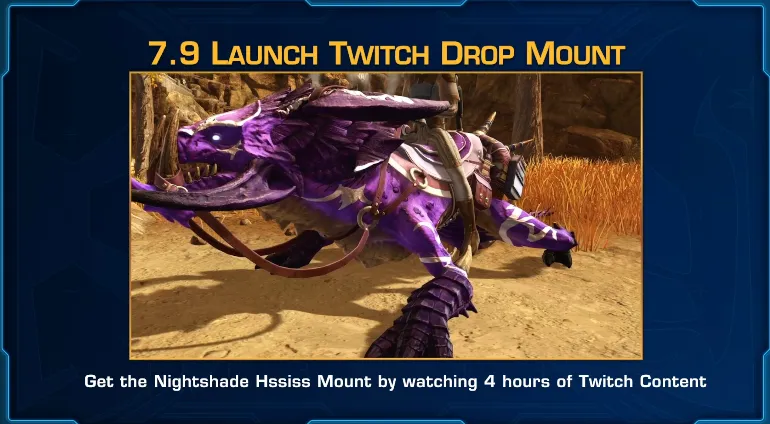
Once 7.9 launches on June 2, to get the Nightshade Hssiss mount watch 4 Hours of any SWTOR streamer starting at launch until the end date 28 days later. By the way, I’m live every morning 8 – 10 am Pacific every weekday morning, at twitch.tv/swtorista if you want to come say hi! I’ll be streaming plenty on launch day.
Contents
- How do I earn Twitch Drop rewards?
- How do I link my SWTOR and Twitch account?
- How do I know if my SWTOR account is properly linked?
- How do I know how many hours I have watched?
- How do I claim my Twitch reward?
- How do I get my reward in-game?
- Do I need to watch a specific channel or player on Twitch?
- As a streamer, how do I enable or disable Twitch Drops for SWTOR?
- When will there be new drops?
- Past Drops
- What were first Twitch Drop rewards?
How do I earn Twitch Drop rewards?
- Connect your SWTOR and Twitch Account on SWTOR.com
- Watch a certain number of hours of any player streaming on Twitch in the Star Wars: The Old Republic category on Twitch while logged in to your linked Twitch account
- Then you’ll earn the reward!
How do I link my SWTOR and Twitch account?
If you do not already have a Twitch account, make one at twitch.tv. Make sure you are logged in on your browser to Twitch.
1. Click “Account” on SWTOR.com on the top right.

2. Log in to your SWTOR account online with your username and password.

3. Click the TWITCH ACCOUNT button on your Account page.

4. A box will pop up. Click “Link Account”.

5. This will bring you to the authorization page if you have logged in to Twitch on your browser. If you ever see a page like this, double-check the information on the page to make sure it’s right. In this case, you can just click “Authorize” safely if you followed the previous steps exactly.

How do I know if my SWTOR account is properly linked?
You should get a popup that says, “Your Twitch account was successfully linked!” at the top of the page when you link your accounts.

If you click the “Twitch Account” button it will say you are not connected, “There is no Twitch account linked to your Star Wars™: The Old Republic account.” but it is incorrect.

You can see if you successfully connected on Twitch Connections Settings.

How do I know how many hours I have watched?
You can check your progress against any active Drops campaigns by looking at the Drops Inventory page.

How do I claim my Twitch reward?
When you watch for the required amount of time, a claim message will appear at the top of the Twitch navigation, where you’ll be directed to the Drops Inventory page to claim your reward. If you miss the claim message, you will still be able to claim the Drop for the duration of the campaign from the Drops Inventory page.
YOU MUST HAVE LINKED YOUR ACCOUNT FIRST BEFORE YOU CLAIM IT OR YOU WON’T GET YOUR MOUNT!
If you claimed it before linking your accounts, contact support at support@swtor.com with your SWTOR account name and email.

How do I get my reward in-game?
Once you click Claim Now, and your account was linked before that, you may need to log out of your character and log back in if you are already in0game. It may take some time.

Your reward will show up in your mailbox, on all your current and future characters.

Do I need to watch a specific channel or player on Twitch?
Nope!
- Any streamer in the Star Wars: The Old Republic category on Twitch will count.
- You do not need to the official SWTOR channel or a a streamer in the official Content Creator program.
- You can even stream yourself and it should count.
- It also does not have to be the same person – you can spread your watch time out.
- Watching more than one channel at the same time will not allow you to claim the Drop faster, only one channel will count at a time.
- Drops supports using your PC/Mac web browser or on the Twitch app for Android (Google Phone) and iOS (Apple Phone) to earn and claim Twitch Drops.
- Twitch apps on game consoles, smart TVs, and other TV apps do not support Twitch Drops.
- Only live streams are eligible for viewers to earn drop rewards. You can not earn Twitch Drops by viewing reruns or VODs / livestream recordings.
- You do not need to chat in the chat, you just need the stream open while logged in.
As a streamer, how do I enable or disable Twitch Drops for SWTOR?
Go to your Dashboard settings. From there, click on Viewer Rewards and then Drops (or visit directly – dashboard.twitch.tv/drops) to change your opt-out preference. You can quickly turn Drops on/off through a toggle at the top of this page. You can now also opt-out from Drop campaigns at the individual campaign level while still participating in other Drop campaigns by other game developers.

Game developers decide which channels are eligible to offer Drops. If they have activated Drops for all channels broadcasting their game (or yours specifically), Drops can appear on your channel for your viewers. All you need to do is make sure Drops are enabled by visiting the Drops section within your Dashboard (see Drops Streamer Home).
If there is an active Drops campaign for a specific game, you are streaming the game, you have opted in, set the stream category to the game, and your channel is eligible to offer the Drop campaign to your viewers, Twitch will automatically apply the “DropsEnabled” tag to your live stream.
You unfortunately don’t get credit for your own stream – you must watch another streamer to get the mount yourself.
Where did this information come from?

The developer livestream and the Twitch Drops FAQ :)
When will there be new drops?
Broadsword has recently communicated how long we should expect individual drops to linger around for, and how much watch-time will be needed to obtain them, on a stream OR game update basis:
Dev Stream Drops
- Watch ONE hour of SWTOR content on Twitch to redeem these Drops
- Drops from Dev Streams will be earnable for 14 days (two weeks) following the day of the stream taking place.
Past Drops
- Watch FOUR hours of SWTOR content on Twitch to redeem these Drops
- Drops from Game Update Launches will be earnable for 28 days following the day of the update launching.
What were first Twitch Drop rewards?
There have been a few rewards so far!
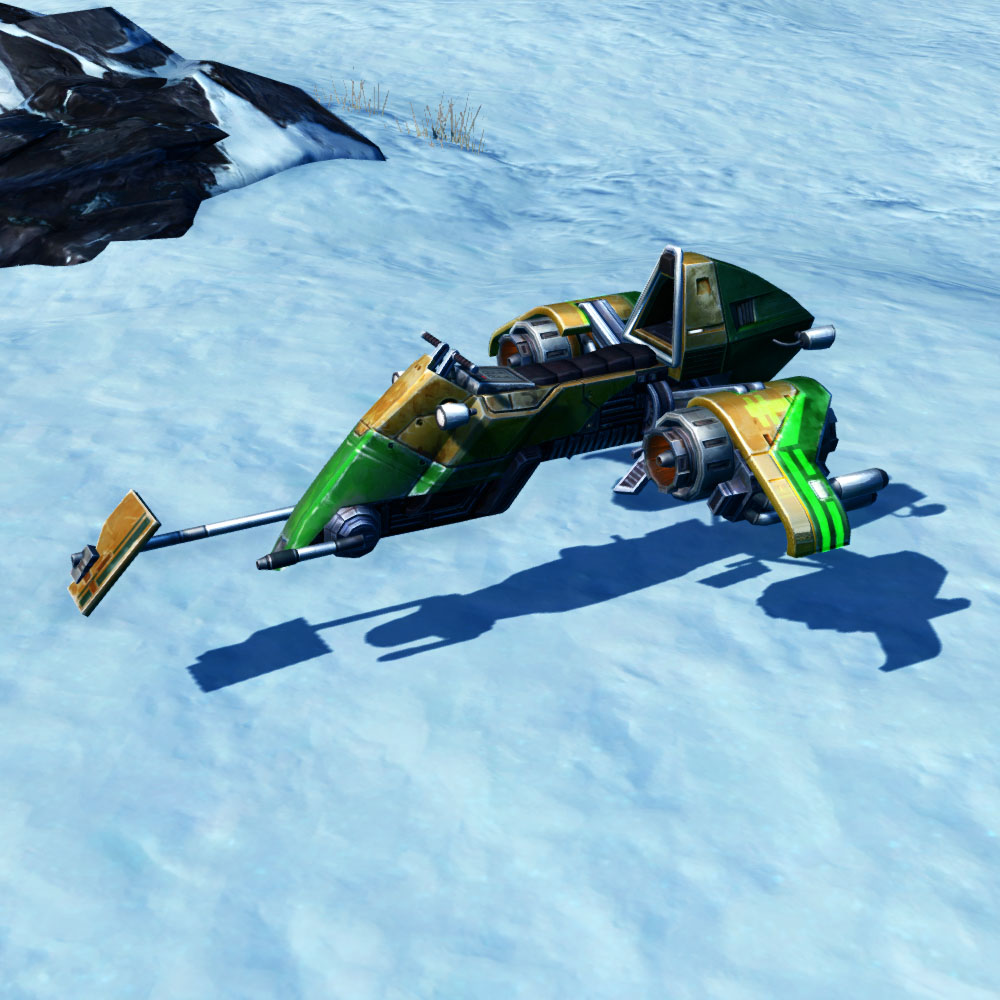
Orlean Voidstream Mount

It is actually a reskin of the retired Lucky-77 Swoop mount.
Ilum Art Frame

To get the Ilum Art (purple frame), watch 1 Hour of any SWTOR streamer before November 28th (up to 14 days after the developer livestream).
Amethyst Vulptille

To get the Amethyst Vulptilla, watch 4 Hours of any SWTOR streamer starting when Update 7.6 launches, any time up to 28 days later. (Dec 10 to around Jan 6)
Stronghold Deco: Ord Mantell (purple frame)
To get the Stronghold Deco: Ord Mantell (purple frame), watch 1 Hour of any SWTOR streamer on Twitch. (February 26, 2025)

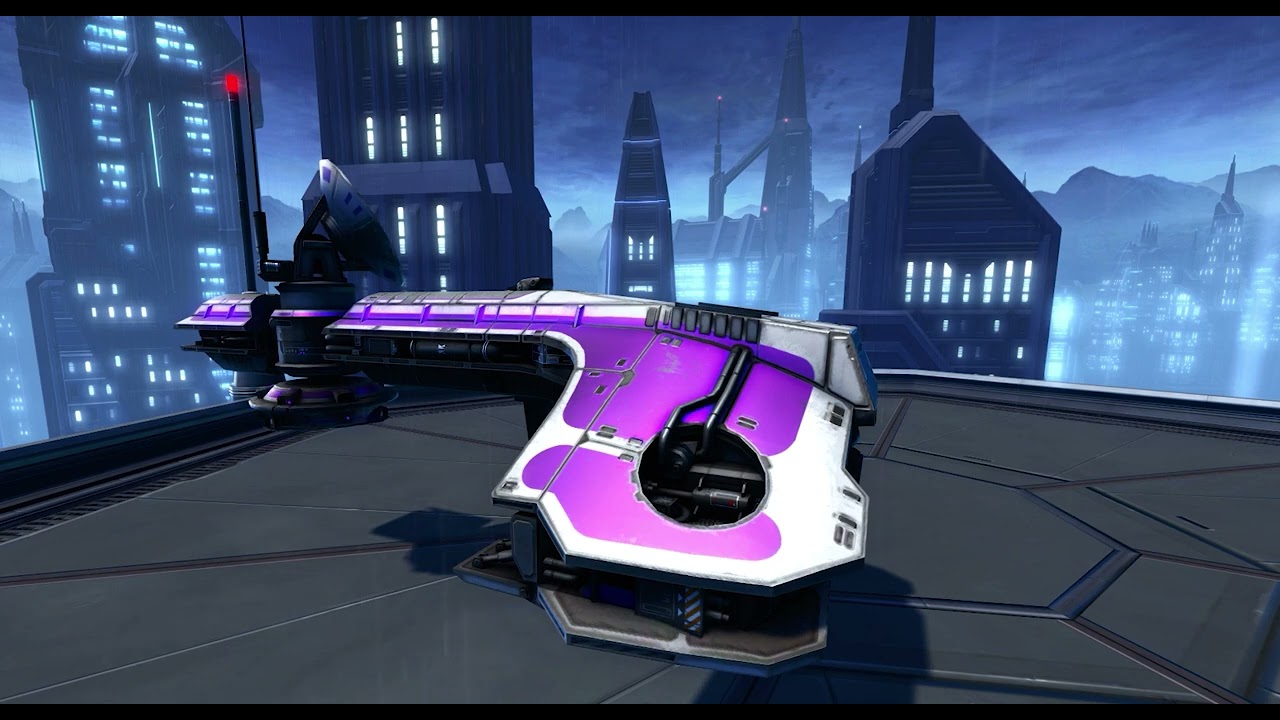
Ac-10 Disruptor Mount
New mount coming with Update 7.6.1!

Dromund Kaas Poster Decoration
To get the Dromund Kaas Poster Decoration players watched 1 Hour of any SWTOR streamer on Twitch before May 22, 2025. By the way, I’m live every morning 8 – 10 am Pacific every weekday morning, at twitch.tv/swtorista if you want to come say hi!

Umbaran Holo-Rancor
When 7.7 went live, players were be able to earn another Twitch Drop reward. The Umbaran Holo-Rancor Mount was unlocked after 5 hours of watch time and earnable for 28 days following 7.7’s launch.

Stronghold Decoration: Coruscant Art (Purple)
Stronghold Decoration: Coruscant Art (Purple) watch 1 Hour of any SWTOR streamer starting July 30 to August 13th 2025.

Once 7.7.1 launches on August 19, to get the TF-6 Striker watch 4 Hours of any SWTOR streamer starting at launch until the end date 28 days later. By the way, I’m live every morning 8 – 10 am Pacific every weekday morning, at twitch.tv/swtorista if you want to come say hi! I’ll be streaming plenty on launch day.


From now until December 4th, to get the Voss Poster Decoration watch 1 Hour of any SWTOR streamer starting at launch until the end date 14 days later. By the way, I’m live every morning 8 – 10 am Pacific every weekday morning, at twitch.tv/swtorista if you want to come say hi!

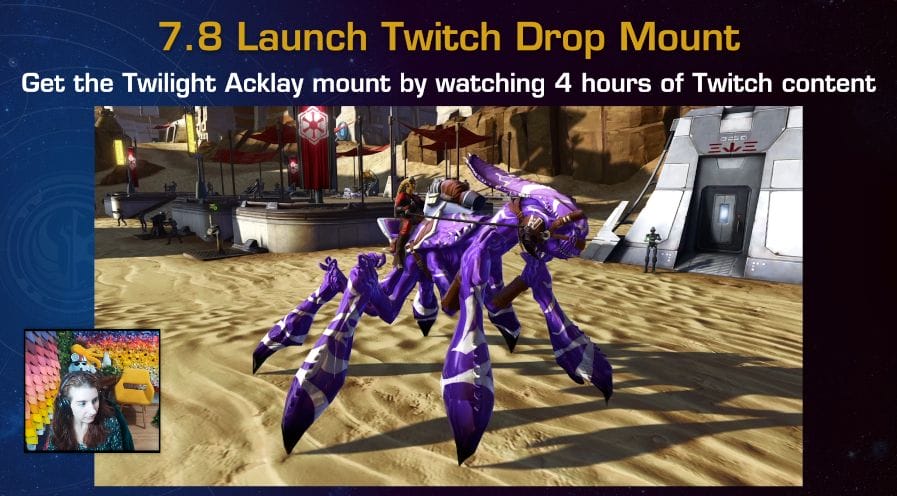
Once 7.8 launches December 2025, to get the Twilight Acklay watch 4 Hours of any SWTOR streamer starting at launch until the end date 28 days later. By the way, I’m live every morning 8 – 10 am Pacific every weekday morning, at twitch.tv/swtorista if you want to come say hi! I’ll be streaming plenty on launch day.
From March 10, to get the Yavin Poster Decoration watch 1 Hour of any SWTOR streamer starting at launch until the end date 14 days later. By the way, I’m live every morning 8 – 10 am Pacific every weekday morning, at twitch.tv/swtorista if you want to come say hi!

Once 7.8.1 launches on June 2, to get the T2-26 Scout Walker mount watch 5 Hours of any SWTOR streamer starting at launch until the end date 28 days later. By the way, I’m live every morning 8 – 10 am Pacific every weekday morning, at twitch.tv/swtorista if you want to come say hi! I’ll be streaming plenty on launch day.

From a period in May that is now over, to get the Dantooine Biomes Poster Decoration watch 1 Hour of any SWTOR streamer starting at launch until the end date 14 days later. By the way, I’m live every morning 8 – 10 am Pacific every weekday morning, at twitch.tv/swtorista if you want to come say hi!

Once 7.9 launches, to get the Nightshade Hssiss mount watch 4 Hours of any SWTOR streamer starting at launch until the end date 28 days later. By the way, I’m live every morning 8 – 10 am Pacific every weekday morning, at twitch.tv/swtorista if you want to come say hi! I’ll be streaming plenty on launch day.
 Questions or comments? Feel free to send me a message on Twitter






 Discord
  Email swtorista@gmail.com
 Bluesky @swtorista.com
 Reddit /u/swtorista
 Twitch Swtorista
 Youtube
 Patreon
 Twitter @swtorista