







 Defense
 Vigilance
 Seer
Seer




 How to Craft
 Choose a Crew Skill
 Armormech
 Armstech
 Artifice
 Biochem
 Cybertech
 Synthweaving
 How to Craft Fast
 Gathering Guide
 Rare Materials Guide
 White Materials Guide
 Jawa Junk
 Augments
 Medpacs, Stims and Adrenals
 Synthweaving Crafting Tree




 Crafted Decorations
 Crafted Mounts
 Crafted Dyes
 Crafted Crystals
 Events Calendar
 Galactic Seasons
 PvP Seasons
 Bounty Event
 Double XP Event
 Feast of Prosperity
 Gree Event
 Life Day
 Nightlife Event
 Pirate Incursion Event
 Rakghoul Event
 Spring Abundance Festival
 Swoop Event
 Accessibility HubAll Accessibility guides and info
 DeafPlaying while deaf or hearing-impaired
 BlindPlaying while visually impaired or with low vision
 ColorblindPlaying with colorblindness and settings options
 AnxietyPlaying with general anxiety or social anxiety


 Jedi Knight
 Jedi Consular
 Trooper
 Smuggler
 Sith Warrior
 Sith Inquisitor
 Bounty Hunter
 Imperial Agent
 Bounty Hunter
 Imperial Agent
 Jedi
Jedi Jedi Consular
 Jedi Knight
 Sith
Sith Sith Inquisitor
 Sith Warrior
 Smuggler
 Trooper
 Legacy Gear
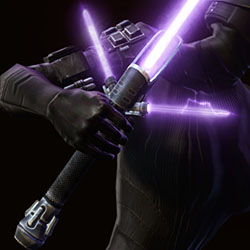 Lightsabers
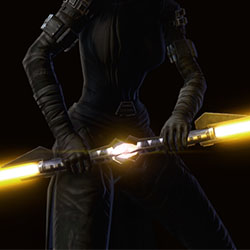 Double-Bladed Lightsabers
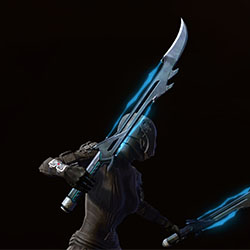 Vibroswords
 Double-Bladed Vibroswords
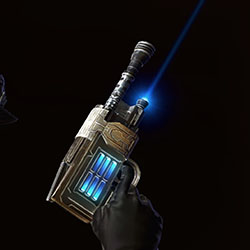 Blaster Pistols
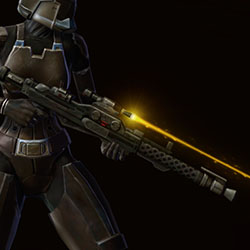 Blaster Rifles
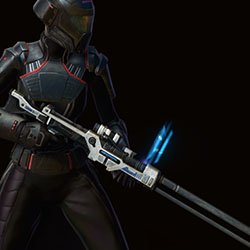 Sniper Rifles
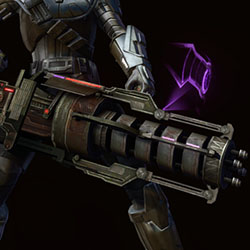 Blaster Cannons
As with any update to a game, not everything comes out perfectly right away the first time. Below is a post from Jackie over on the Broadsword forums about what bugs and issues players are running into lately – check here to keep up to date on any new ones that may crop up!
General
[NEW] Characters on the Leviathan server cannot be deleted.- [NEW] The Guild Roster Window is missing data in several columns.
- [NEW] The game crashes to the desktop when the mouse cursor hovers over the Play button in the mission tracker or map window during gameplay while certain missions are active.
- [NEW] The sorting function does not work for some windows.
- [French and German client only] There are odd breaklines in the text of several names of rewards in the Log In Window.
- During cinematic scenes, Vette’s skin tone from her neck below will differ from her skin tone color from her neck above.
- When selecting a song from the Republic Jukebox, two Holo Dancers are missing textures.
Activity Finder
- When backfilling, only the group leader can change their discipline after forming a group through Activity Finder.
- Players will need to check their Role selection every time they queue to ensure their desired Role is selected.
- Selecting the “PvP Challenge” activity, then closing and reopening the Activity Window prevents the group leader from joining the queue for any activities until they reselect said activities.
- The “Issue Challenge” button has no functionality.
- Quitting an Operation group while the Activity Finder Window on the PvP or Solo tab can cause UI assets to overlap over one another.
- A player’s name remains highlighted rather than being grayed out after they leave an Arena or Warzone.
- Logging out of a character that has a Group Activity Lockout and then logging back in on the same character causes the “Join Queue” button to appear usable, despite the lockout still being active.
- The name of the character appears in both the Warzone and Arena queue lists even if the player joined the queue for only one of them. If an option is selected and the player joins the queue for the other option the name is removed from the first list.
- Scrolling to the bottom of the Solo activities list and then collapsing the “Flashpoints” category will not automatically reduce the list’s length making it initially appear that the activities above Flashpoints has disappeared.
- When a solo activity is active in the Mission Log, players are able to scroll through the list of activities farther than the end of the list.
Missions
- In rare instances a player can have the Mission “Prelude: Rise of the Hutt Cartel” which will direct them to their ship terminal to pick up another Mission, either:
- Republic – “Trouble in Paradise”
- Empire – “Countdown to Doomsday”
- This Mission cinematic at the players ship terminal will fail to trigger properly.
- WORKAROUND: Simply abandon “Prelude: Rise of the Hutt Cartel”, open your Eras Window, and accept the Rise of the Hutt Cartel Mission from there.
- [Makeb: Trouble in Paradise/Countdown to Doomsday] These missions cannot be picked up in the ship terminal if the Prelude: Rise of the Hutt Cartel is abandoned.
- WORKAROUND: Open your Eras Window, and accept the Rise of the Hutt Cartel Mission from there.
- [Ossus: The State of Things to Come] This mission can be abandoned.
UI
- Sorting different values in the Scoreboard Window in either ascending or descending order has no effect on the displayed results.
Items
- [NEW] Equipping the Nightfall Operative Glasses removes hoods from chestpieces.
- The Ascendant Admiral is not visible on all male body types.
- [Galactic Seasons 9] The background of the Wall Wires item icon is blue rather than green.
- The character’s weapon is visible when they are mounted on the Naboo C-Type Speeder.
Character Modernization
- Dark Side Corruption at Dark 2 and 3 will render as black on certain skin colors. If you are affected, please temporarily disable Dark Side Corruption in the Outfitter tab of the Character Sheet.
- Complexion Appearance Options 19, 50, and 51 will show a black texture on the back of the character’s head.
- Some Rattatki body types will show a seam along the wrists
 Questions or comments? Feel free to send me a message on Twitter



 Discord
  Email swtorista@gmail.com
 Bluesky @swtorista.com
 Reddit /u/swtorista
 Twitch Swtorista
 Youtube
 Patreon
 Twitter @swtorista